



Most companies do not need AI agents for every process. RPA and workflow automation still win for predictable, rule-based tasks with stable interfaces. AI copilots fit processes where human judgment stays central but drafting or summarization saves time. AI agents matter when a process has variable inputs, requires multi-step reasoning, and needs to adapt without explicit reprogramming. The table below shows how the four approaches differ on autonomy, decision-making, and operational risk.
| Criterion | RPA | Workflow Automation | AI Copilot | AI Agent |
|---|---|---|---|---|
| Autonomy | High for fixed tasks; none for exceptions | High within predefined flow; none for deviation | Low; assists human, does not act alone | High; plans and executes multi-step tasks with limited supervision |
| Decision-making | Rule-based, deterministic | Rule-based, conditional | Suggestive; human chooses | Reasoning-based; selects from multiple paths based on context |
| Input variability | Low; breaks when UI or format changes | Low to medium; handles structured variations | Medium; works with natural language prompts | High; handles unstructured, ambiguous, or changing inputs |
| Best fit | Repetitive data entry, screen scraping, legacy data migration | If-this-then-that processes, approvals, notifications | Drafting emails, summarizing documents, code suggestions | Dynamic routing, complex triage, multi-system research and action |
| Error profile | Predictable and repeatable | Predictable and repeatable | Human-corrected before impact | Can compound across steps if tracing is weak |
| Integration style | UI layer or surface API | Native API and webhook triggers | Embedded in user tools (IDE, email, CRM) | Deep API and tool use with memory and state management |
| Change tolerance | Fragile; breaks when target app updates | Stable if APIs are stable | Adapts via model re-prompting | Adapts via reasoning, but needs guardrails and monitoring |
What Traditional Automation (RPA & Workflow Tools) Actually Does Well
Robotic process automation is not dead. According to UiPath’s own documentation, RPA automates repetitive, rule-based work across the systems people use every day, performing tasks the same way a human user would. It shines where the process is deterministic, the user interface is stable, and the business rules rarely change.
Automation Anywhere defines RPA similarly: software that automates digital tasks quickly and reliably, remaining a core automation technology that provides fast, reliable, and resilient process execution. This is why RPA services still make sense for large volumes of stable, repetitive work.
Think of a finance clerk who logs into three different portals each morning, downloads CSV files, normalizes column names, and uploads the result into an ERP. An RPA bot can do this exactly, every day, without getting bored. The value is not intelligence; it is precision and stamina.
Workflow automation tools, such as Zapier, Make, or enterprise iPaaS platforms, operate one layer above RPA. Instead of mimicking a user at the UI level, they move data through APIs based on explicit conditional logic. When a new lead arrives in HubSpot, create a task in Asana, send a Slack alert, and add the contact to a Mailchimp audience. The path is fixed. If the lead source is “partner referral,” the workflow branches. If it is anything else, it follows the standard path. There is no interpretation, only routing. At Genius Software, we have worked on AI workflow automation platforms where ops teams manage hundreds of active workflows through a unified interface, which shows how powerful well-designed workflow automation can be at scale.
In our work, we still recommend RPA and workflow automation for processes that meet three conditions:
- The inputs are structured and stable.
- The decision logic can be written as a flowchart.
- The cost of error is low enough that occasional breakage is acceptable.
A logistics client we worked with used RPA to extract shipment tracking numbers from carrier emails and update an internal dashboard. The email format changed once per quarter, and the bot needed maintenance. Even with that overhead, the five hours of daily manual work it replaced justified the cost. We did not propose an AI agent because the task did not require reasoning. It required reliable parsing.
The limitation is fragility. When a target application updates its UI, an RPA bot breaks. When a workflow encounters a missing field it was not programmed to handle, it stalls. These tools do not adapt; they execute. That is their strength and their boundary.
What AI Copilots Add On Top of Automation
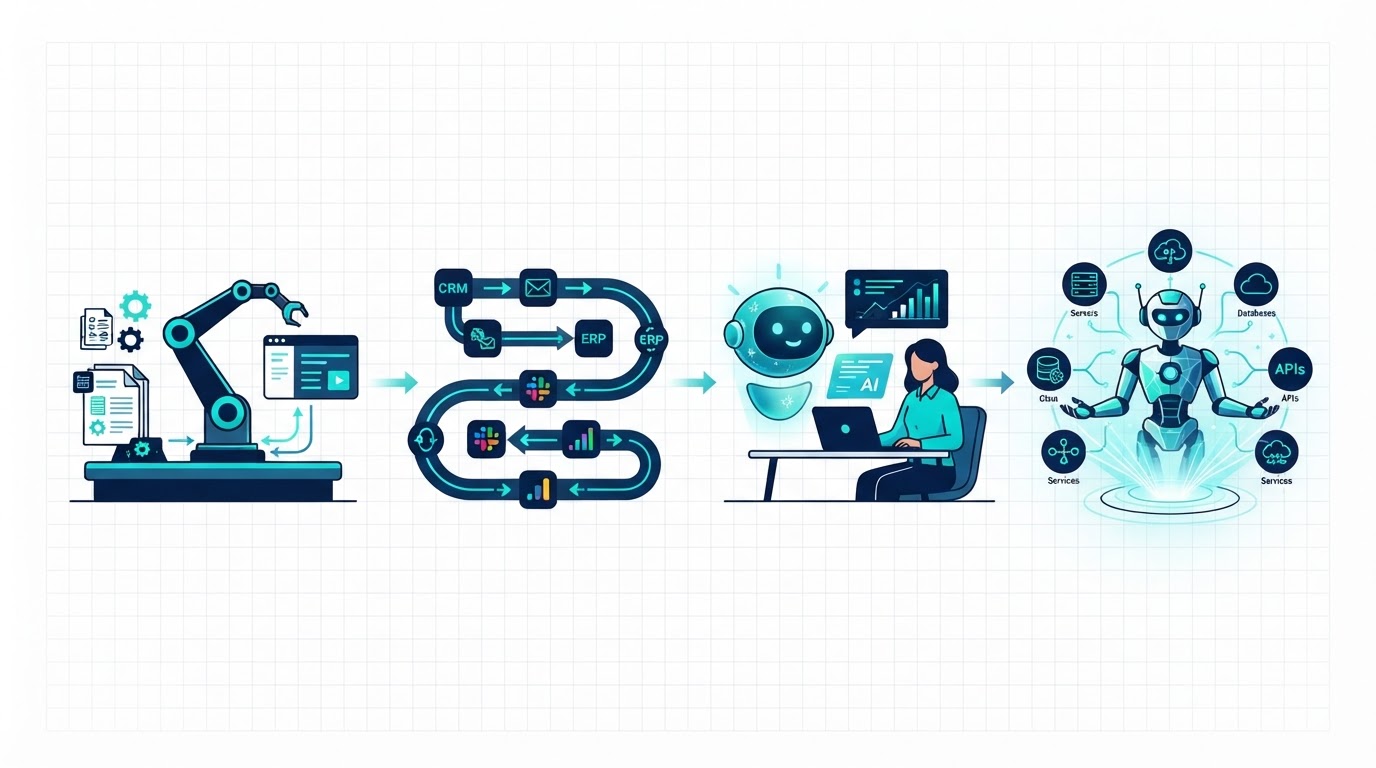
An AI copilot is not an autonomous worker. It is an assistant that operates inside a human’s context, suggesting, drafting, or retrieving information while the human remains in control. GitHub Copilot writes code suggestions; Microsoft Copilot drafts email replies; Salesforce Einstein surfaces account insights. The human decides whether to accept, edit, or ignore the output.
According to OpenAI’s documentation, agentic systems plan, call tools, collaborate across specialists, and keep enough state to complete multi-step work. A copilot sits at the edge of that spectrum. It may call a single tool, such as retrieving a file or summarizing a thread, but it does not own the full business outcome.
Copilots fit processes where speed of drafting matters more than end-to-end execution. A sales operations team we advised used a copilot to draft personalized outreach emails based on CRM notes and recent news about the prospect. The rep still reviewed every message. The copilot cut drafting time by 60%, but the rep owned the send button. That is the correct boundary for a copilot: acceleration, not delegation.
Another good fit is internal knowledge retrieval. A copilot embedded in a company wiki can answer “What is our refund policy for enterprise accounts in Germany?” by retrieving the right paragraph. It does not process the refund. It simply removes the friction of finding the answer.
The risk of copilots is complacency. When suggestions are good 90% of the time, humans stop reading carefully. A support manager who blindly accepts AI-generated response drafts may miss tone problems or factual errors that damage a customer relationship. Copilots need usage policies, not just prompt engineering.
What Makes AI Agents Different
An AI agent is defined by three capabilities that separate it from both traditional automation and copilots: tool use, reasoning, and persistence.
Tool use means the agent can interact with external systems through functions or APIs. OpenAI’s function calling documentation explains that models can interface with external systems and access data outside their training data by calling developer-defined functions. This is not a chat feature. It is the mechanism that lets an agent query a database, update a record, or book a meeting.
Anthropic has pushed this further with advanced tool use capabilities that let Claude discover, learn, and execute tools dynamically. The future of AI agents is one where models work seamlessly across hundreds or thousands of tools, integrating git operations, file manipulation, package managers, and testing frameworks. This is a fundamentally different paradigm from the static connectors used in traditional workflow automation.
Reasoning means the agent can handle ambiguity. Instead of following a fixed branch, it evaluates context and chooses a path. If a customer email mentions “I want to upgrade, but I also have a billing dispute,” an agent can decide whether to route the case to sales, finance, or both, based on priority rules and account history. RPA cannot do that without explicit exception handling for every possible combination. An agent reasons over the combination dynamically.
Persistence means the agent maintains state across multiple turns or tasks. It remembers that it already asked for clarification, that a previous API call failed, or that a human reviewer rejected its first recommendation. This turns a single prompt into a multi-step problem-solving session.
Forrester’s 2026 research notes that three-quarters of enterprise leaders say they are adopting agentic AI, yet only a minority have moved past isolated pilots into coordinated production systems. The gap exists because agents require a different operational foundation than traditional automation. You cannot drop an agent into an RPA operations center and expect it to behave like a bot.
Decision Framework: Matching the Approach to the Process
Use these four criteria to decide which automation layer fits your process.
Criterion 1: Process variability
How often does the input change in ways that break fixed rules?
- Low variability: RPA or workflow automation.
- Medium variability: AI copilot with human review.
- High variability: AI agent.
Criterion 2: Decision complexity
Can the correct next step be written as a flowchart, or does it require interpretation?
- Flowchart-friendly: RPA or workflow automation.
- Interpretive but bounded: AI copilot.
- Multi-factor and context-dependent: AI agent.
Criterion 3: Data structure
Is the process driven by structured fields or unstructured text and documents?
- Structured tables and forms: RPA or workflow automation.
- Mixed, with human summarization: AI copilot.
- Unstructured, with extraction and reasoning required: AI agent.
Criterion 4: Error tolerance
What happens if the system makes a mistake?
- Low impact, easy to reverse: RPA or workflow automation.
- Medium impact, caught by human review: AI copilot.
- High impact, needs guardrails and audit trails: AI agent only with human-in-the-loop design.
How to read the framework
If your process scores low on all four criteria, start with RPA or workflow automation. It will be cheaper, faster to deploy, and easier to debug. If variability and decision complexity are high but error tolerance is low, an AI agent may be technically possible but organizationally risky. In that case, narrow the scope or add a compliance layer first. If you are unsure where your process lands, see our AI agent readiness assessment for a deeper self-assessment.
Real-World Process Examples by Approach
Here are examples to consider:
Static invoice matching
A retailer receives 5,000 invoices per month in two standardized XML formats. The matching rules are exact: purchase order number, line item quantity, and unit price must match within 1%. Exceptions above that threshold go to a human. This is RPA territory. The format is stable, the rules are fixed, and the error tolerance is managed through explicit thresholds. We built a bot that processed 94% of invoices without human touch. The remaining 6% were true exceptions that needed human judgment.
Dynamic customer support routing
A telecom company receives support requests via email, chat, SMS, and voice transcripts. The same issue can be described twenty different ways: “my internet is slow,” “connection keeps dropping,” or “video buffers every night.” An AI agent classifies intent, checks account status and recent outages, runs a line test via API, and either offers a self-service fix or routes to the right tier-2 team with full context. This is agent territory because the input is unstructured, the diagnosis requires multi-step reasoning, and the action changes based on real-time data.
Email and document drafting
A legal team drafts vendor contract amendments based on playbooks. A copilot suggests clause language, flags risky terms by comparing against a precedent library, and generates a summary for the business stakeholder. The lawyer edits and approves every change. This is copilot territory because the final output requires professional judgment and liability sits with the attorney, not the tool.
Cross-system employee onboarding
When a new hire starts, IT must create accounts in five systems, assign hardware based on role, schedule orientation, and notify payroll. This is classic workflow automation. The steps are known, the triggers are explicit, and the data is structured. An iPaaS workflow handles it reliably. Adding an AI agent here would add cost and unpredictability without meaningful benefit.
Trade-offs and Risks of Each Approach
No automation layer is free of downside. The question is which risk profile matches your operational reality.
RPA risks
RPA is brittle. When the target application updates its interface, the bot stops. Maintenance can consume 20% to 30% of the original build effort annually. Forrester warned as early as 2024 that companies should not repeat RPA mistakes with agentic automation, such as automating poorly understood processes or underestimating long-term maintenance. RPA also scales horizontally, not intelligently. Adding more bots adds more infrastructure, monitoring, and credential management.
Workflow automation risks
The risk here is oversimplification. A workflow tool forces you to model exceptions as explicit branches. If your business process has hidden edge cases that only surface in live operations, the workflow will either fail silently or create a backlog of stalled cases. Workflow tools are also vulnerable to API changes. When a SaaS vendor deprecates an endpoint, your automation breaks until you remap the integration.
AI copilot risks
The primary risk is over-reliance. When a copilot produces good drafts quickly, users stop verifying sources. Hallucinated statistics, incorrect customer names, and outdated policy references slip through. Copilots also create data governance challenges. If the model caches sensitive prompts or training data, you may expose confidential information without realizing it. Usage policies and output review are mandatory, not optional.
AI agent risks
Agents compound risk across steps. A single misclassification in step one can cascade into wrong API calls, incorrect customer notifications, and bad database updates in steps two through five. Without full observability, you may not know where the chain broke. Agents also introduce non-determinism. The same input may produce slightly different reasoning paths on different runs, which makes regression testing harder than with RPA. Finally, agents are expensive. Token usage, tool call latency, and vector storage add up faster than the license cost of a workflow tool.
FAQ
Can I replace RPA with AI agents?
Not directly. RPA and agents solve different problems. RPA is for stable, deterministic execution. Agents are for variable, reasoning-heavy execution. In many enterprises, the right architecture is a hybrid: RPA handles structured data movement, and an agent handles the classification and routing decisions upstream.
When is a copilot better than an agent?
When a human must remain accountable for the final decision. Legal review, medical documentation, and executive communications are copilot territory because the professional, not the tool, carries liability. Agents fit when the process is operational, repeatable, and the error can be caught and reversed through guardrails.
How do I know if my process is too complex for workflow automation?
Ask whether your flowchart has more than ten exception branches. If it does, you are no longer describing a workflow; you are describing a policy. That is the point where rule-based automation becomes unmaintainable and an agent or copilot becomes more practical.
Are AI agents more secure than RPA?
Not inherently. RPA bots often store credentials in centralized vaults and operate through controlled VMs. Agents need broad API access, persistent memory, and often interact with LLM providers outside your network perimeter. The attack surface is different, not smaller. Agents require API-level security, prompt injection defenses, and output validation that RPA does not.
What is the typical cost difference between these approaches?
RPA and workflow automation usually have predictable per-bot or per-task pricing. AI copilots add seat-level subscription costs. AI agents add inference, storage, and integration maintenance costs that scale with usage volume. A workflow that costs $200 per month to run might cost $2,000 per month as an agent at scale. The business case must justify the flexibility premium.
Reviewed by the Solution Architecture team at Genius Software.
If you are deciding between RPA, workflow automation, and AI agents for a specific process, our team can help you map the right approach to your operational reality. Explore our AI software development services to see how we simplify and automate processes with AI, or learn more about AI Agent Development for processes that need reasoning and adaptability. For complex environments where multiple agents must coordinate, see our LLM Multi-Agent Orchestration services. Once you have chosen the right approach, the next question is whether to build in-house or partner with a specialist. Read our guide on AI agent build vs buy to plan your next step.