


Have you ever played a video game that was so incredible, you thought “I want to make games like this!”? Game development seems complex, but with the right tools and guidance, anyone can start building basic games. Learning development empowers you to turn your ideas into interactive worlds for others to explore.

Game Development with Game Engines
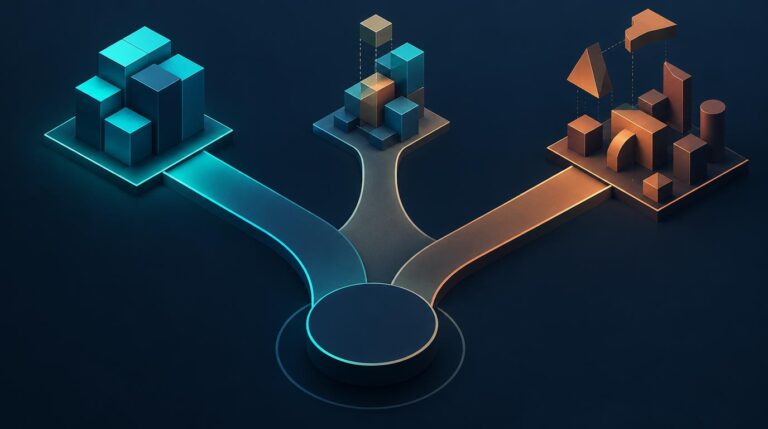
Game engines provide the core framework and tools to design games without needing to build all of the underlying technology from scratch. Choosing a game engine is one of the most important early decisions you’ll make, as it will impact workflow, visual capabilities, publishing options, and more. Some popular game engine options include:
Unity

Unity is an extremely versatile and scalable engine used by indie developers and major game studios alike. It supports both 2D and 3D game creation with features to aid every stage of development. Unity is known for its intuitive workflow and vast player base and learning resources. The editor utilizes drag and drop components, making game building approachable for coding beginners while still supporting advanced functionality. The C# programming language used allows for plenty of code customization options as well.
Unity also offers outstanding multi-platform publishing support, allowing developers to release to most major console, mobile, and desktop platforms including Playstation, Xbox, Android iOS, macOS, and Windows through a single codebase. Its flexible free licensing model combined with a robust asset store for purchasing additional art, visual effects, scripts, and tools makes Unity a go-to for many solo indie creators.
Unreal Engine
For developers seeking to unlock high fidelity, photorealistic graphics and effects, Unreal Engine is a top choice. Built by Epic Games over decades to power AAA franchises like Unreal, Gears of War, and Fortnite, Unreal offers unrivaled graphical capabilities leveraging advanced real-time rendering, custom pipelines and optimization techniques perfected in the world’s most popular games.
Unreal uses the C++ programming language natively for more low-level yet granular control compared to Unity. And it too handles multi-platform publishing with support across consoles, PC, and mobile. The engine source code is freely available with no royalties or licensing fees until projects start generating significant gross revenue. For indie teams ready to aim big, Unreal is hard to beat both visually and economically.
Godot
Lastly, Godot Engine is the rising star amongst open-source options. Godot is completely free with permissive licensing, allowing unrestricted commercialization without fees or revenue sharing for game development. It focuses squarely on 2D and simple 3D projects, executing both beautifully. Godot uses its own GDScript language designed specifically around game programming concepts to boost productivity for coders.
As an open-source project, Godot offers ultimate flexibility for developers to customize and extend every part of the engine. And thanks to its community of contributors, the engine sees frequent bug fixing updates and helpful new features added. Godot won’t compete visually with Unity or Unreal, however its lightweight code-focused approach gives programmer’s absolute freedom over functionality. For scrappy solo developers or teams with specific technical needs they want fine control over, Godot shines brightly.
No matter your engine choice, soak in all the documentation, tutorials, and community forums you can early on. Learning the tools in-depth will pay dividends across the entire game production cycle.
Learn Core Game Design Concepts

While engines provide the technical tools, you must provide the creative vision that imbues game development with life. Mastering core design skills breathes feeling into the worlds you craft.
Coding – Scripting Gameplay Mechanics
Code gives rise to a game’s moment-to-moment experiences. Skills to hone include:
- Character controllers: Code player and AI behaviors like moving, jumping, attacking.
- Game mechanics: Script rules for gameplay elements like shooting, taking damage, respawning.
- User interface: Create main menus, HUDs, inventory systems.
- Dynamic visual effects: Animate particle systems like fire or smoke via code.
For beginners, Unity’s C# or Godot’s Visual Script are great entrypoints. Start by manipulating primitive objects before working up to elaborate systems. Comment code thoroughly so it’s understandable later.
Art – Crafting Game Graphics
Art establishes the style and visual identity of your worlds. Essential skills include:
- 3D modeling: Sculpt characters, props, environments in programs like Blender or ZBrush.
- Texturing: Develop color, patterns and surface properties for 3D assets.
- Animation: Animate model movement, faces, particle effects for immersion.
- Lighting: Establish mood, guide attention, set tone through lighting.
- Visual effects: Create powerful spell, attack, or explosion graphics.
Study real-world art principles like composition, value contrast, and color theory to inject visual appeal.
Physics – Simulating Realistic Motion
Physics engines emulate real-world physical interactions. Harness them to:
- Model gravity, acceleration, mass, velocity, collisions between objects.
- Develop satisfying game feel with squishy materials, springy meshes etc.
- Optimize performance by simplifying unnecessary computations.
- Exploit physics quirks for emergent gameplay opportunities.
From billowing cloth to collapsing buildings, physics helps heighten the life-like qualities of your games.
Audio – Composing Sounds and Music
The auditory experience completes the immersion equation. Essential skills include:
- Adaptive music systems react dynamically during gameplay for tension.
- Ambient sounds like wildlife establish mood.
- Character voices bring distinct personalities to life.
- UI sounds provide interface feedback for actions.
- Impactful sound effects sell in-game events like explosions.
Powerful audio invites players deeper into the experience while guiding their emotions.
Polish and optimization will further elevate your games. However everything starts with the creativity you pour into these core building blocks.
Work Smarter with Iteration
Resist overengineering up front. Start game development small to validate the fun factor early on with gameplay prototypes. Playtest for feedback. Build upon working foundations in phases, scaling up graphics and content complexity over multiple passes. Saving the juiciest flourishes for when gameplay mechanics are fun and polished.
Publish and Grow Your Audience
Once ready, publish to digital storefronts like Steam, Itch.io, Google Play and App Store to attract players. Consider free-to-play models or paid games for game development. Market on social media and game forums. Release updates to fix issues and add features. Pay attention to reviews to keep improving. With persistence, build an avid fanbase eager for your next title!
The world always needs more great games. Starting out may seem daunting, but game engines lower the barriers. Take inspiration from the games you love. Experiment often, get feedback from others, polish patiently, and bring your vision to life! Game development is challenging yet fulfilling journey. Where will you guide players in the worlds you craft?